
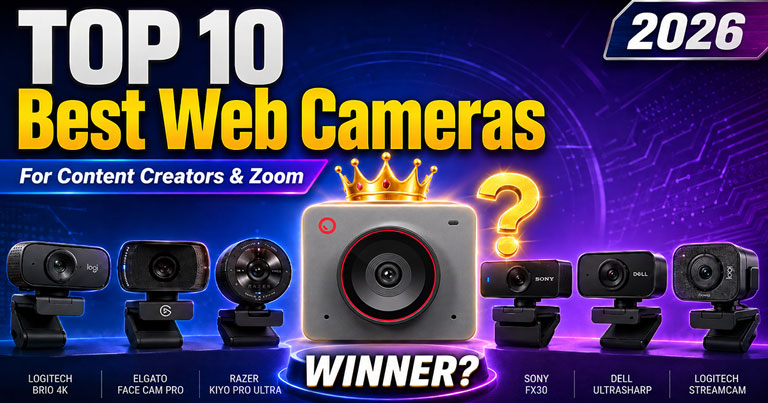
Best Web Camera for Zoom Conference, Interviews, Remote Work, Meetings & Content Creation in 2026
In today’s digital work culture, your camera quality matters more than ever. Whether you are attending a Zoom meeting, giving an online interview, working remotely, teaching online, recording YouTube videos, joining webinars, or creating content for social media, a good webcam can instantly improve your professional appearance.
Many people still depend on their laptop’s inbuilt camera, but in 2026, that is no longer enough for professional video calls. A low-quality camera can make your face look dark, blurry, grainy, or flat, especially in indoor lighting. This can create a poor first impression during interviews, client meetings, sales calls, online classes, webinars, and content recording.
At the same time, not everyone can afford a DSLR or mirrorless camera setup for video calls and content creation. Many people also try to use their smartphone as a camera, but it is not always comfortable because calls, notifications, battery issues, overheating, and setup difficulties can disturb the session. That is where a smart webcam like OBSBOT becomes a better and more practical choice. It gives a professional camera-like result without the complexity of DSLR setup or the disturbance of using a smartphone, making it a confident option for meetings, interviews, remote work, and content creation.
That is why investing in a dedicated external webcam is one of the smartest upgrades for remote workers, digital marketers, freelancers, teachers, content creators, business owners, and job seekers.
Quick Answer: Which Webcam Is Best in 2026?
If you want the best overall webcam for Zoom meetings, interviews, remote work, and content creation, OBSBOT Meet 2 is one of the best practical choices in 2026. It offers a professional 4K video look, AI framing, compact design, and easy setup without the high cost of a DSLR or the disturbance of using a smartphone.
For users who need AI tracking for teaching, webinars, or presentations, OBSBOT Tiny 2 is a better option.
Why Your Laptop’s Inbuilt Camera Is Not Sufficient
Laptop webcams are useful for casual video calls, but they are usually not designed for professional-quality video. Most laptop cameras have small sensors, limited low-light performance, fixed angles, basic microphones, and very little control over brightness, exposure, background, framing, and sharpness.
Here are the main problems with inbuilt laptop cameras:
1. Poor Low-Light Quality
Most laptop cameras struggle in low light. If your room is not properly lit, your face may look dark, noisy, or unclear. For interviews and meetings, this can make you look less confident and less professional.
2. Limited Resolution and Sharpness
Many built-in webcams still produce average-quality video. Even when the laptop says it has an HD camera, the output may not look crisp on Zoom, Google Meet, Microsoft Teams, or recorded videos.
3. Bad Camera Angle
Laptop cameras are usually placed at the top of the screen. When the laptop is kept low on a table, the camera angle can look awkward. A separate webcam gives you better placement and a more natural eye-level angle.
4. Weak Autofocus and Exposure Control
Laptop cameras often fail to adjust properly when lighting changes. A professional webcam can handle autofocus, exposure, HDR, and face tracking much better.
5. Poor Built-In Microphone
Laptop microphones pick up keyboard noise, fan noise, room echo, and background sounds. Many premium webcams come with better microphones and noise-reduction features.
6. No AI Framing or Tracking
Modern webcams now offer AI auto-framing, subject tracking, gesture control, background blur, desk view, whiteboard mode, and other smart features. These are very useful for presentations, teaching, content creation, and online meetings.
Why You Should Buy an External Webcam in 2026
A dedicated webcam improves your overall online presence. It gives you better face clarity, better lighting balance, better frame control, and a more professional look.
For job interviews, a clear webcam can help you look more confident and prepared. For remote work, it improves communication with your team. For business meetings, it builds trust. For YouTube, reels, podcasts, webinars, and online courses, it helps you produce better-quality content without buying a DSLR or mirrorless camera.
If you attend video meetings regularly, a good webcam is not just an accessory. It is a professional tool.
Top 10 Best Webcams You Can Purchase in 2026
Below are the best webcam options for Zoom meetings, interviews, remote work, online classes, video conferences, live streaming, and content creation.
1. OBSBOT Meet 2 4K Webcam – Best Overall Webcam for Professionals
If you want one webcam that looks premium, compact, smart, and professional, the OBSBOT Meet 2 is one of the best choices in 2026.
The OBSBOT Meet 2 is an AI-powered 4K webcam designed for modern work and content creation. It supports high-quality video, AI framing, autofocus, HDR, and smooth 1080p performance. This makes it a strong choice for Zoom calls, Google Meet, Microsoft Teams, interviews, webinars, podcasts, online classes, and social media content.

Best for:
Remote workers, job interviews, freelancers, digital marketers, teachers, consultants, YouTubers, and creators.
Why choose OBSBOT Meet 2?
The biggest advantage of OBSBOT Meet 2 is that it gives you a professional camera look without a complicated setup. It is compact, easy to carry, and simple to use. The AI features help keep you properly framed, while the 4K quality gives your video a sharp and premium feel.
If you want to highlight your personality and professionalism in every meeting, OBSBOT Meet 2 is a smart purchase.
2. OBSBOT Tiny 2 AI PTZ 4K Webcam – Best for AI Tracking and Presentations
OBSBOT Tiny 2 is a powerful AI webcam for users who move while speaking, teaching, presenting, or creating content. It comes with AI tracking, auto zoom, gesture control, voice control, and a premium sensor.
This webcam is especially useful for online trainers, educators, fitness instructors, presenters, live streamers, and content creators. If you walk, move, explain on a board, or present products, the camera can follow you and keep you in frame.

Best for:
Presenters, educators, trainers, content creators, webinar hosts, and live streamers.
Why choose OBSBOT Tiny 2?
It feels more like a smart camera assistant than a normal webcam. The AI tracking and PTZ movement make it perfect for dynamic video sessions.
3. Insta360 Link 2C 4K AI Webcam – Best 4K Value Webcam
The Insta360 Link 2C is another excellent 4K webcam for users who want sharp image quality, AI features, and strong software control. It is good for meetings, interviews, content recording, and live streaming.
It offers a modern webcam experience with auto-framing, gesture control, and a clean 4K output. It is a good option if you want high video quality in a compact design.

Best for:
Professionals, creators, online meeting users, and hybrid workers.
Why choose Insta360 Link 2C?
It is a strong 4K webcam with useful AI features and good image quality for the price.
4. Insta360 Link 2 Pro – 4K PTZ Webcam – Best for Presenters and Creators
The Insta360 Link 2 Pro – 4K PTZ Webcam is suitable for users who need a premium webcam experience with smart tracking and high-quality video. It is a strong option for people who create educational videos, tutorials, webinars, and professional presentations.

Best for:
Online educators, creators, speakers, coaches, and business presenters.
Why choose Insta360 Link 2 Pro – 4K PTZ Webcam?
It is great for people who want more smart camera movement and professional framing during presentations.
5. Logitech MX Brio 4K Webcam – Best Corporate Webcam
Logitech is one of the most trusted brands in webcams, and the Logitech MX Brio is a premium choice for office meetings, business calls, client presentations, and hybrid work.
It offers 4K video, professional image quality, good autofocus, and business-friendly features. It is ideal for people who attend daily meetings and want a clean, reliable, corporate-quality webcam.

Best for:
Business professionals, managers, consultants, corporate teams, and remote employees.
Why choose Logitech MX Brio?
It is reliable, professional, and suitable for regular business communication.
6. Razer Kiyo V2 4K Webcam – Best for Streamers
Razer webcams are popular among streamers and gamers. The Razer Kiyo V2 is a good option for content creators who want strong video quality, streaming-friendly features, and a modern webcam setup.

Best for:
Streamers, gamers, YouTubers, and creators.
Why choose Razer Kiyo V2?
It is designed for people who want better control over video quality during streaming and content creation.
7. eMeet S600 4K Webcam – Best Affordable 4K Option
The eMeet S600 4K Webcam is a good choice for users who want 4K quality at a more affordable price compared to premium brands. It is useful for remote work, Zoom calls, interviews, and basic content creation.

Best for:
Remote workers, students, freelancers, and budget-conscious professionals.
Why choose eMeet S600?
It gives you 4K resolution at a more accessible price point.
8. Anker PowerConf C200 2K Webcam – Best Budget 2K Webcam
The Anker PowerConf C200 is a great option for people who want better-than-laptop quality without spending too much. It offers 2K video quality and is suitable for online interviews, team meetings, and work-from-home setups.

Best for:
Students, job seekers, remote workers, and office meetings.
Why choose Anker PowerConf C200?
It is a practical upgrade from a laptop camera and offers good quality for everyday video calls.
9. Logitech C922 Webcam – Best Reliable 1080p Webcam
The Logitech C922 is a popular and reliable webcam for Full HD video. It may not be the newest premium 4K option, but it is still a dependable choice for regular meetings, streaming, and online communication.

Best for:
Basic streaming, meetings, online classes, and home office use.
Why choose Logitech C922?
It is stable, trusted, and works well for users who need reliable 1080p video.
10. Logitech Brio 100 Webcam – Best Entry-Level Webcam
The Logitech Brio 100 is a simple and budget-friendly webcam for users who only need basic video quality for meetings, classes, and casual work calls. It is a good choice if you are upgrading from a very poor laptop camera but do not want to spend much.

Best for:
Students, entry-level remote workers, and casual meeting users.
Why choose Logitech Brio 100?
It is affordable, simple, and better than many basic laptop webcams.
Quick Buying Suggestion
If you want the best overall webcam for 2026, choose OBSBOT Meet 2. It gives a professional video look without the complicated DSLR setup and without the disturbance of using a smartphone.
If you need AI tracking for teaching, webinars, or presentations, choose OBSBOT Tiny 2.
If you want a corporate webcam, go with Logitech MX Brio.
If your budget is limited, Anker PowerConf C200, eMeet S600, or Logitech Brio 100 can be good options.
Top 10 Best Webcams Comparison Table for 2026
| Rank | Webcam Name | Best For | Video Quality | Key Highlight | Why Choose It |
|---|---|---|---|---|---|
| 1 | OBSBOT Meet 2 | Zoom meetings, interviews, remote work, content creation | 4K | AI framing, compact design, sharp video | Best overall practical webcam for professionals and creators |
| 2 | OBSBOT Tiny 2 | Presentations, online teaching, webinars, live sessions | 4K | AI tracking, gesture control, auto-follow | Best for people who move while speaking or presenting |
| 3 | Insta360 Link 2C | Content creators, online meetings, video recording | 4K | AI features, clear image quality | Great 4K webcam for creators and hybrid workers |
| 4 | Insta360 Link 2 PRO | Trainers, educators, presenters, creators | 4K | Smart framing and premium video output | Best for professional presentations and tutorials |
| 5 | Logitech MX Brio | Corporate meetings, office work, business calls | 4K | Reliable brand, business-ready quality | Best choice for office professionals and managers |
| 6 | Razer Kiyo V2 4K | Streaming, gaming, YouTube content | 4K | Creator-focused video performance | Good option for streamers and gamers |
| 7 | eMeet S600 | Budget 4K meetings and remote work | 4K | Affordable 4K webcam | Good for users who want 4K quality at a lower price |
| 8 | Anker PowerConf C200 | Work-from-home, students, interviews | 2K | Good clarity with budget pricing | Better than laptop camera for daily video calls |
| 9 | Logitech C922 | Basic streaming, meetings, online classes | 1080p Full HD | Reliable and trusted webcam | Good for users who need stable Full HD video |
| 10 | Logitech Brio 100 | Casual meetings, students, basic remote work | 1080p Full HD | Simple and affordable | Best entry-level upgrade from laptop camera |
Which Webcam Should You Buy in 2026?
If you want the best overall webcam for interviews, remote work, meetings, and content creation, the OBSBOT Meet 2 is a strong choice. It offers a premium 4K experience, AI features, compact design, and professional video quality.
If you are a teacher, presenter, trainer, or creator who moves during videos, OBSBOT Tiny 2 is better because of its AI tracking and PTZ movement.
If you want a reliable business webcam, Logitech MX Brio is a good option. If you want a 4K value webcam, Insta360 Link 2C is also worth considering. For budget users, Anker PowerConf C200 and eMeet S600 are practical choices.
Final Recommendation
In 2026, online presence is part of your professional identity. Whether you are applying for a remote job, attending a Zoom interview, joining a client meeting, recording YouTube videos, or creating content for social media, your camera quality matters.
A laptop’s inbuilt webcam may be enough for casual calls, but it is not enough for professional communication. A dedicated webcam gives you better clarity, better lighting, better framing, and better confidence.
For most professionals and creators, OBSBOT Meet 2 is one of the best webcams to purchase in 2026. It is compact, powerful, AI-enabled, and suitable for almost every modern video requirement, including Zoom conferences, interviews, remote work, meetings, webinars, and content creation.
Frequently Asked Questions
Which is the best webcam for Zoom meetings in 2026?
For Zoom meetings, interviews, remote work, and professional video calls, OBSBOT Meet 2 is one of the best choices because it offers 4K video quality, AI framing, compact design, and easy setup.
Is a webcam better than a laptop camera?
Yes, a dedicated webcam is usually better than a laptop camera. Most laptop cameras have limited low-light performance, fixed angles, weak microphones, and average image quality. A good external webcam gives better clarity, better framing, and a more professional look.
Can I use my smartphone instead of a webcam?
Yes, you can use a smartphone as a webcam, but it is not always comfortable for long meetings. Calls, notifications, battery drain, overheating, and mounting problems can disturb your session. A dedicated webcam is more stable and practical for daily use.
Is OBSBOT better for content creators?
OBSBOT webcams are a strong choice for content creators because they offer smart features like AI framing, tracking, autofocus, and high-quality video output. They are useful for YouTube videos, webinars, online classes, interviews, and remote work.
Do I need a 4K webcam for video calls?
A 4K webcam is not compulsory, but it gives sharper image quality and better flexibility. Even if your meeting platform compresses video, a good 4K webcam can still produce a cleaner and more professional-looking image.